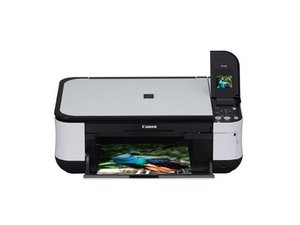

The Canon Pixma MP480 is an all-in-one color inkjet photo printer released in 2008.

How to reset page counter for ink absorber full (error 5B00)?

I have been trying everything I can find on google and youtube (short of downloading a sketchy exe file), but I can't reset the page counter. I already cleaned out the ink absorber pads, but my printer won't print until this has been reset. I hate planned obsolescence.

Answered! View the answer I have this problem too

Is this a good question?

Score 71

23 Comments

i have a 5B00 error and let me know how to approach it

by

Last week I had a similar іѕѕuе, I couldn’t reset the page counter on my Canon Pixma printer.

I tried everything and nothing helped.

Finally I managed tо fix this error after getting help from Cannon Windows Support

Follow the steps here: http://bit.ly/Error5B00

It should solve the issue

Goodluck

by

There are various reset methods for different Canon printers. None allow resetting of the 'ink pad full' on the MG2550S, thought you may get limited access to other features like 'nozzle check'. Even physically transfering the eeprom to an eeprom reader/writer doesn't help unless you know what parameters to change.

by

hie guys, i have got canon TS5040 , it is reflecting error 5b00 wat can i do,,

by

Show 18 more comments

Add a comment

9 Answers

Chosen Solution

Hi,

Have you tried the following:

1. Press and hold the power button

2. Whilst holding the power button operated, plug the power cord back into the printer.

3. Keep holding the power button until the printer begins to reset itself and come online, then release the button.

4. Wait for the green power light to turn off, then press and release the power button again.

It should blink for 2-3 seconds and then stay on.

Hopefully the printer has been reset and is ready to print again.

Was this answer helpful?

Score 24

15 Comments:

No, this didn't work. When I plug in the printer while holding the power button, the green light comes on, but nothing else happens. When I release the power button, the light goes off again and the printer does not come on without having reset anything.

by

Hi, @lynanne ,

Just for my information, did you also try the procedure as shown in the link?

by

this didn't work for me either and the link doesnt work

by

Hi, please suggest an answer for my Canon e470

by

These are throw away printers. Remember that. Once that ink absorber error comes up thats it. Time for the dumpster.

by

Show 10 more comments

Add a comment

I had the same issue and solved it this way.

  1. Press and hold the power button (While connected to power)
  2. Press the ‘cancel’ button SIX (6) TIMES
  3. Release all buttons
  4. Press ‘cancel’ button FIVE (5) Times
  5. Press the POWER button ONCE. (It should print a reset information page)
  6. Press the power button to turn off the printer then turn on again.
  7. This worked for me.

Was this answer helpful?

Score 17

20 Comments:

Hi Simion,

Could you please help me to reset Canon Pixma G4000 printer. I've tried your guidelines but nothing happened.

by

thanks a lot

by

its worked with me but different first step

power off the printer

hold cancel first then hold power , then release cancel and keep on power then press 6 times on cancel

Release all buttons

Press ‘cancel’ button FIVE (5) Times

Press the POWER button ONCE. (It should print a reset information page)

Press the power button to turn off the printer then turn on again.

canon G3400

by

This has worked out marvelously, i was so worried about taking back my Canon Pixma G3411 back to the vendor but was able to sort out the issue locally using this guide. Thank you for the help Sir

by

Dear Sir,

Could you please help me to reset Canon Pixma G2400 printer. I have tried your guidelines but nothing happened.

by

Show 15 more comments

Add a comment

My Canon G2000 printer has a 5b00 error and I have found this software, it fixed the 5B00 error on my printer, advise you to try it out - http://resetkey.net/reset-canon-g2000-co...

First: You have to put printer into SERVICE MODE

  • Turn off Canon G2000 printer
  • Press and hold Canon G2000 printer’s RESET button
  • Press and hold printer’s POWER button.
  • Released Canon G2000 printer’s RESET button, POWER still pressed
  • Press and released Canon G2000 printer’s RESET button 5 times
  • Released Canon G2000 printer’s POWER button:
  • Now, Canon G2000 printer on SERVICE MODE condition. In this condition, computer detect found new hardware.
  • When operating system detect FOUND NEW HARDWARE, wait about 20 seconds and press CANCEL

Second: Download Wicreset or iWic to reset Canon G2000 waste ink counter.

Was this answer helpful?

Score 16

5 Comments:

Please give a solution of this problem for Canon e470.

by

Thank you very much! Reset my Canon 3000 in a minute. Easy. Had looked around at buying a new printer but really had no time for that anyway, i try your link and It works

by

Thank you pro, it works!

by

Hi I need Help My Canon G4100 came with 5B00 issue now with this Lockdown no where to take it to fix Pls HELP Tks

by

Great help, thank you very much!

by

Add a comment

hi you can try the service tool here….

https://truee2.blogspot.com/2020/05/how-...

Was this answer helpful?

Score 1

2 Comments:

Indeed, this solution worked flawlessly. Thanks a lot!

by

This worked amazingly for me as well. I couldn't get it to reset the manual way no matter how hard I tried. Using this software, I was able to fix the problem in 5 minutes.

by

Add a comment

It means its time for a new printer. Dont waste your time trying to reset the ink absorb counter. It wont work.

Was this answer helpful?

Score 1

3 Comments:

The trick mentioned just before yours work. There is nothing constructive about telling to change a printer that can be easily fixed...

by

Catherine Desrochers speaks the truth. Here, for example, is how to reset the counter on a G3200: https://www.youtube.com/watch?v=Zu_vONAE...

by

You can’t reset this code. It means it time to buy a new printer. I wouldn’t lie to you. Its almost impossible to re-set the ink absorber counter.

by

Add a comment

This is a great example of planned obsolescence. Shame on Canon. However, it seems like all manufacturers including Epson are playing these games to obsolete a printer after x number of prints.
Global efforts to promote right to repair legislation, like ifixit advocates for, is our best hope.
In 2025, with the amount of ewaste around the world and use of resources, this should be unacceptable

We own a Canon Pixma G3200.
It is 5 years old, Bought in 2019.
After 4 years, Refilled colors, using Canon original ink refill Canon Megatank refill kit
Ran cleaning, they deep cleaning and started system cleaning.

Got 15 alternate flashing power and alarm light. Error code 5B00

waste ink absorber full.

Internet search and found good website that showed how to reset ink waste counter and print a service page and also how to manually clean waste ink pads.
Resetting this waste counter seemed to work.

Temporarily.
In another few months, got same error code.
The previous reset counter method did not work.

Did another internet search. The youtube link someone else posted here, by Varis Jamal "Canon Printer Reset" seemed to work most consistently.

After refilling the megatanks I noted air the supply lines.
There are complicated manual methods to remove the air.

I called Canon Support. They were helpful in that the said doing a system clean would clear those airbubbles.
However the agent basically said doing this ink waste counter reset wont last, since the printer is past is useful life.
She gave me a code to get like 20% off a new Canon from their website.
I will NOT be buying a new Canon. Will try Epson from Costco, since they have a great return policy if it acts up.

Was this answer helpful?

Score 1
Add a comment

You do not even need the tool on some models. See, for example: https://www.youtube.com/watch?v=Zu_vONAE...

Was this answer helpful?

Score 0
Add a comment

https://www.youtube.com/watch?v=X7kqTlLw...

this link is useful.at first step hold stop button and then press and hold power button.then prss stop 6 time.

2-after fixing and stable green power light press 3 time stop. should mount paper

3-press power

4-press 5 time stop and then power - should mount paper

5-press power again.

6- error will be gone

Was this answer helpful?

Score 0

2 Comments:

I tried that method, but it still didn't work for my Canon E410 printer. It's like it's “frozen” on the orange light. That's right, I can't enter “service mode.”

I've searched various forums, and the only solution I found to fix the 5b00 error is to replace the IC EPPROM. I haven't tried it yet, but most people who use this method succeed, though it requires good soldering skills. Unfortunately, I don't have those skills. It's really disappointing.

The best solution is to buy a mainboard of the same type.

by

How to fix Canon maxify error 5B200

by

Add a comment

If your printer shows the ink absorber is full or error 5B00 message, you can often fix it by resetting the internal waste ink counter. First, turn off the printer and press and hold the Power button. Plug the power cord back in and wait for the printer to come to life. Release the button once it starts resetting. Depending on your model, you may need to enter service mode by holding the Stop/Cancel and Power buttons together, then repeatedly pressing the Stop button. After the printer enters service mode, it automatically clears the error and restarts. Keep in mind that this reset only clears the notification that the ink absorber pad may still need cleaning or replacement to avoid future issues.

Was this answer helpful?

Score 0
Add a comment

Add your answer

LynAnne will be eternally grateful.
View Statistics:

Past 24 Hours: 33

Past 7 Days: 203

Past 30 Days: 830

All Time: 284,396